

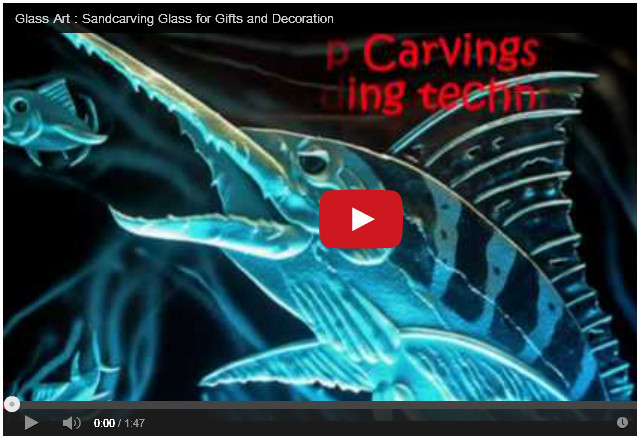
I might start making videos on how all this software is used because some people have problems using it. So I included a video which shows how to convert a raster graphic into a vector .eps graphic. That way you can re-size the pattern (glassetchingsecrets.com/freepatterns.html) and cut it out with a vinyl cutter.
The video below shows someone using Inkscape to convert a graphic, except it is being used for a color graphic. Since you don’t want to convert a color graphic, leave the Trace Bitmap settings alone. Everything illustrates how to import the raster graphic and convert it into a .eps graphic. Then you just need to save it to your computer.
Watch the video below and if you have any questions, leave a comment. Make sure you check mark the “Notify me of followup comments via e-mail” box, so you will get updates by email after I respond to your question. (The video may take some time to load. Just press pause and let it load.)
I also made a post about this which may help also about graphic conversion tips. It includes a picture snapshot and later explains some things in more detail. Thanks and I hope this helps.
Share this on social media or email by clicking below!




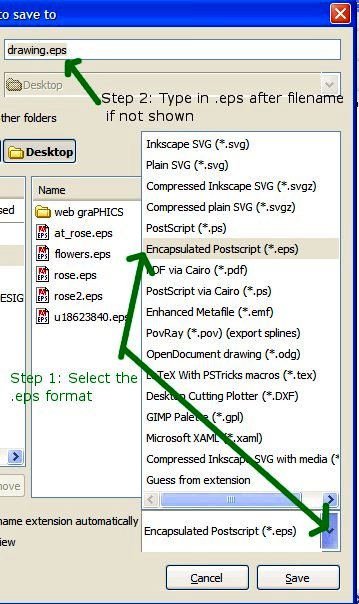

I studied the video very carefully and thought I’d followed all instructions, except the Cuttlery Software, which I couldn’t find. It seemed to work OK through the entire process. I saved the file as an .eps, but when I tried to close, I got a message to save to a .SVG file. I couldn’t close the program without agreeing to that SVG save. Consequently, I can only open the file in Inkscape. It will not open as a .eps on my computer.
Nadina, the Cutter Software that the video shows is just a file specific to that computer. Disregard everything up to the 20 second mark of the video. All its showing is the opening of the raster graphic.
It should save the graphic to a .eps. I am not sure if your doing a simple mistake or that the newer Inkscape version is faulty. I’ll download the newest version right now and let you know.
Also, do you see the other link to a post about this? Its right here: https://www.glassetchingsecrets.com/blog/graphic-conversion-trouble/
Im not sure if that will help or not.
Standby on another test. I want to get this working for you because inkscape has been so valuable to me.
Hey Nadina, I just downloaded the newest version of inkscape and it appears a little different but overall the steps and functions are still the same.
I did notice what you were talking about with closing the program and it asked to save as a svg file. It did that in the older version as well but all that is doing is asking if you want to save the conversion into a format that Inkscape can import back into the software for editing later on. You don’t have to worry about that. You can close without saving.
It doesn’t matter if you save a svg file or not. There will still be a .eps file saved on your computer. Can you let me know if it saved a .eps somewhere? Leave me a comment here.
Thanks